QEC Circuit Transform
Quantag Studio provides a powerful feature to automatically wrap your ideal quantum circuits (QASM) into state-of-the-art Quantum Error Correction (QEC) codes and simulate realistic noise models. This feature is powered by a high-performance backend running NVIDIA CUDA-Q QEC.
When you open a .qasm file in the active editor, you can trigger this functionality via the Command Palette by selecting Quantag Studio: QEC Circuit Transform.
This opens a dedicated Webview panel with an interactive configuration interface.
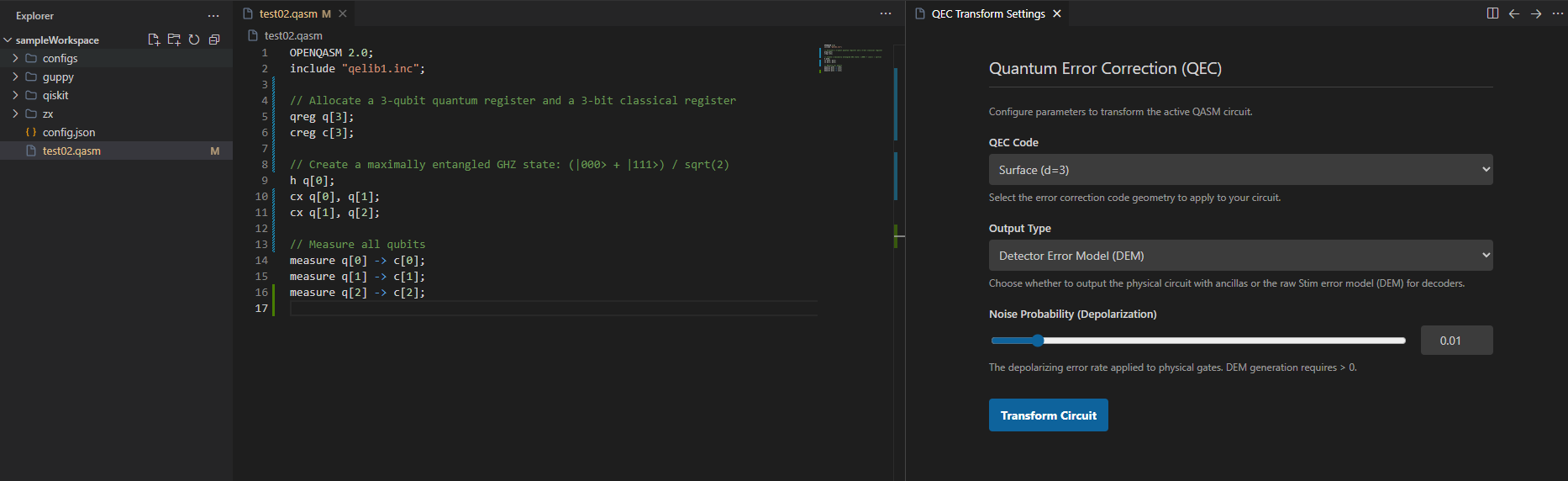
The interface allows you to configure the following parameters:
QEC Code Geometry: Select the error correction code to apply, such as Steane (7-qubit) or Surface codes of different distances.
Output Type: Choose whether to output the physical circuit or the Detector Error Model (DEM).
Noise Probability: An interactive slider to set the depolarizing error rate applied to physical gates during the simulation.
After configuring the parameters and pressing Transform Circuit, the extension sends your circuit to the secure backend. A new editor tab will open with the results.
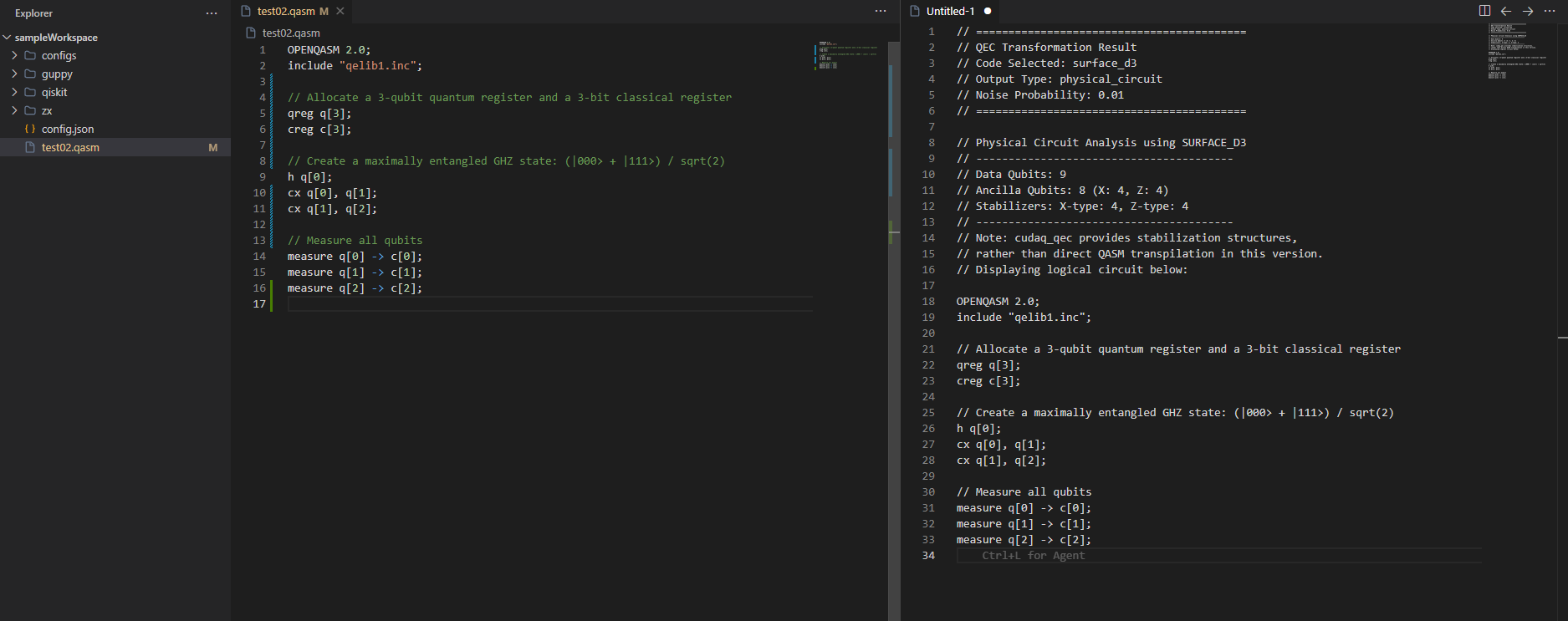
If you selected the Physical Circuit output type, the engine analyzes the selected QEC code and returns a commented QASM file showing data qubits, ancilla qubits, and stabilizers.
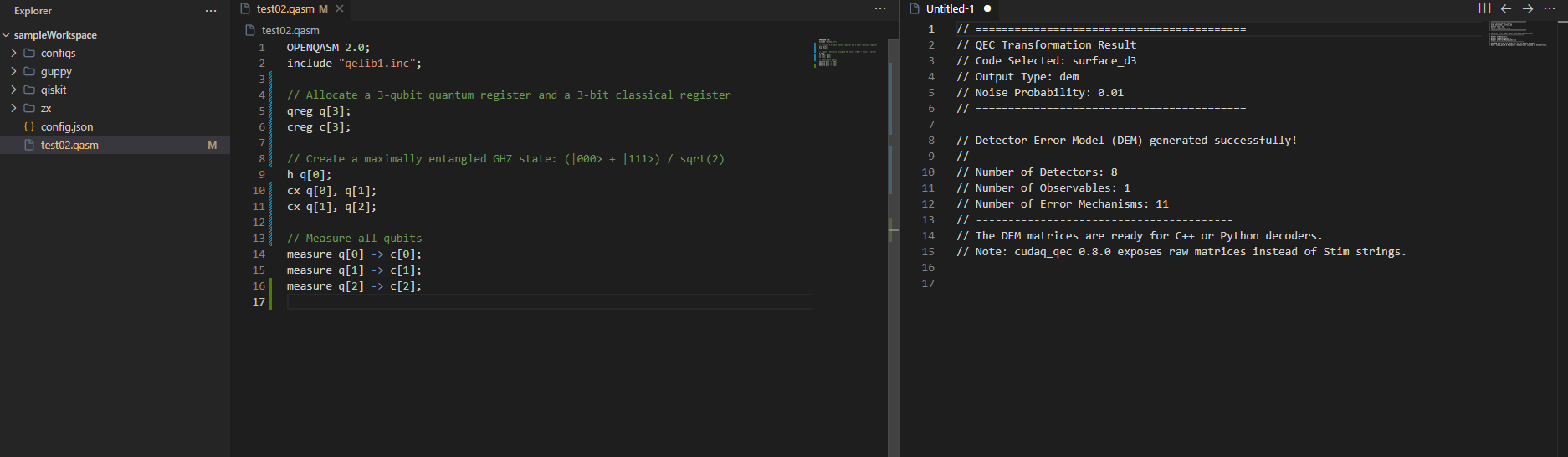
If you selected the Detector Error Model (DEM) output type, the backend injects the specified depolarization noise into all memory round operations and evaluates the error graph. The output provides a summary of the raw matrices (exported for modern decoders like TensorRT or PyMatching).